Author: Julia Roberts

  • Salesforce Clouds Explained: Complete Guide to Salesforce Cloud Services

    Salesforce Clouds Explained: Complete Guide to Salesforce Cloud Services

    Salesforce Clouds are a collection of cloud-based platforms designed to manage customer relationships, automate business processes, and deliver personalized experiences across the customer lifecycle.

    This guide explains all Salesforce Clouds in detail, how they work, and why businesses rely on them to scale faster.


    What Are Salesforce Clouds?

    Salesforce Clouds are specialized cloud services built on the Salesforce CRM platform. Each cloud focuses on a specific business function such as sales, service, marketing, analytics, or application development.

    Together, they form a connected ecosystem where all customer data lives in one place.


    Types of Salesforce Clouds (Detailed Breakdown)


    Sales Cloud – Salesforce CRM for Sales Teams

    Sales Cloud is the most widely used Salesforce Cloud, helping organizations manage leads, opportunities, and revenue pipelines.

    Key Features of Sales Cloud

    • Lead & Opportunity Management
    • Account & Contact Management
    • Sales Forecasting & Reports
    • Workflow Automation
    • Einstein AI Insights

    Who Should Use Sales Cloud?

    • Sales teams
    • Account managers
    • Revenue leaders

    Sales Cloud improves productivity and gives real-time visibility into the sales pipeline.


    Service Cloud – Salesforce Customer Support Platform

    Service Cloud enables businesses to deliver fast, personalized customer service across multiple channels.

    Key Features of Service Cloud

    • Case Management
    • Omni-Channel Routing
    • Live Chat & Chatbots
    • Knowledge Base
    • Service Analytics

    Best For

    • Customer support teams
    • Contact centers
    • Customer success teams

    Service Cloud helps reduce resolution time and improve customer satisfaction.


    Marketing Cloud – Salesforce Digital Marketing Solution

    Marketing Cloud allows marketers to create personalized, automated customer journeys using real-time data.

    Key Features of Marketing Cloud

    • Email Marketing
    • SMS & Mobile Messaging
    • Journey Builder
    • Audience Segmentation
    • AI-Powered Personalization

    Best For

    • Marketing professionals
    • Campaign managers
    • Growth teams

    Marketing Cloud helps deliver the right message to the right customer at the right time.


    Commerce Cloud – Salesforce E-Commerce Platform

    Commerce Cloud supports both B2B and B2C digital commerce experiences.

    Key Features of Commerce Cloud

    • Online Storefronts
    • Product Personalization
    • Order Management
    • AI Product Recommendations

    Best For

    • E-commerce businesses
    • Retail brands
    • Digital marketplaces

    Experience Cloud – Customer & Partner Portals

    Experience Cloud allows businesses to build custom digital experiences connected to Salesforce data.

    Key Features

    • Customer Portals
    • Partner Communities
    • Employee Intranets
    • Secure Data Access

    Data Cloud – Salesforce Customer Data Platform

    Data Cloud unifies customer data from multiple sources into a single real-time profile.

    Key Features

    • Data Unification
    • Identity Resolution
    • Real-Time Customer Profiles
    • AI-Driven Insights

    Data Cloud is the foundation for personalization across all Salesforce Clouds.


    Analytics Cloud – Salesforce Reporting & AI Insights

    Analytics Cloud (Tableau & Einstein Analytics) transforms raw data into actionable insights.

    Key Features

    • Interactive Dashboards
    • Predictive Analytics
    • Real-Time Reporting

    Integration Cloud – MuleSoft by Salesforce

    Integration Cloud connects Salesforce with external systems using APIs.

    Key Features

    • API Management
    • App Integration
    • Data Synchronization

    Salesforce Platform & App Cloud

    Salesforce Platform enables developers to build custom applications using low-code and pro-code tools.

    Key Features

    • Apex Programming
    • Lightning Web Components
    • AppExchange Marketplace

    How Salesforce Clouds Work Together

    All Salesforce Clouds operate on one unified platform, enabling:

    • Shared customer data
    • Centralized security
    • Seamless cross-team collaboration

    This unified approach is one of Salesforce’s biggest strengths.


    Benefits of Salesforce Clouds

    • Scalable cloud architecture
    • AI-powered insights
    • Real-time data access
    • Industry-specific solutions
    • Strong security & compliance

    Future of Salesforce Clouds

    Salesforce is investing heavily in:

    • AI-first CRM (Einstein GPT)
    • Real-time data activation
    • Industry-specific cloud solutions
    • Hyper-personalized customer journeys

    ❓ FAQs (Rich Results Ready)

    Salesforce Clouds are cloud-based services designed to manage sales, service, marketing, commerce, analytics, and application development.

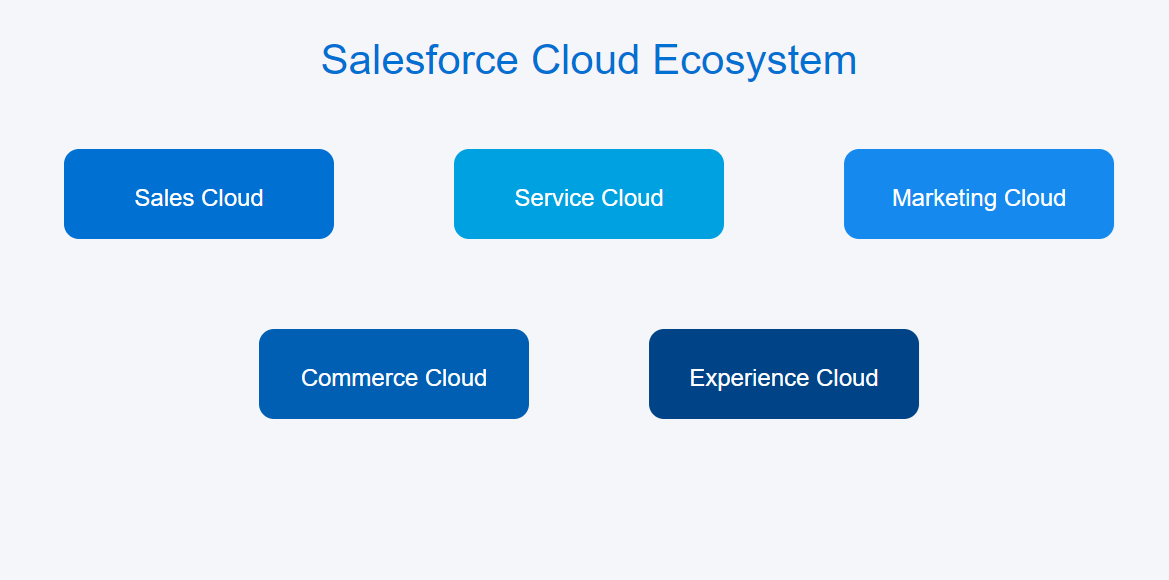
    Major Salesforce Clouds include Sales Cloud, Service Cloud, Marketing Cloud, Commerce Cloud, Experience Cloud, Data Cloud, Analytics Cloud, and Integration Cloud.

    Sales Cloud is the best starting point for most businesses new to Salesforce.

    Salesforce is both a CRM and a cloud platform offering multiple cloud services.
  • Custom Software Development: A Complete Guide for Modern Businesses

    Custom Software Development: A Complete Guide for Modern Businesses

    In today’s fast-paced digital world, businesses are no longer satisfied with one-size-fits-all software solutions. Every organization has unique workflows, goals, and challenges—and this is where custom software development becomes a powerful competitive advantage.

    Custom software development focuses on creating tailored software solutions designed specifically to meet the needs of a particular business. From startups to large enterprises, companies across industries are turning to custom-built software to improve efficiency, scalability, and long-term growth.

    This comprehensive guide covers everything you need to know about custom software development, including benefits, processes, technologies, costs, and how to choose the right development partner.


    What Is Custom Software Development?

    Custom software development is the process of designing, building, deploying, and maintaining software that is specifically created for a particular organization or use case.

    Unlike off-the-shelf software, custom solutions are:

    • Built around your business workflows
    • Scalable as your business grows
    • Flexible to integrate with existing systems
    • Designed with your exact users in mind

    Examples include:

    • Custom CRM and ERP systems
    • Enterprise-level applications
    • SaaS platforms
    • Mobile and web applications
    • Automation and internal tools
    Image

    Why Custom Software Development Matters

    Off-the-shelf software may look affordable at first, but it often comes with limitations. Custom software, on the other hand, aligns perfectly with your business objectives.

    Key Reasons Businesses Choose Custom Software

    • Personalized functionality tailored to your needs
    • Higher efficiency through optimized workflows
    • Improved security with custom protocols
    • Seamless integration with existing tools
    • Long-term cost savings by avoiding licensing fees

    Benefits of Custom Software Development

    1. Tailored Solutions

    Custom software is designed to solve your specific problems—not generic ones.

    2. Scalability

    As your business grows, your software grows with you. Features can be added without disrupting operations.

    3. Better Performance

    Custom-built systems are lighter, faster, and more efficient because they include only what you need.

    4. Enhanced Security

    Custom software reduces vulnerability by avoiding widely exploited common software structures.

    5. Competitive Advantage

    Unique tools give your business an edge that competitors cannot easily replicate.


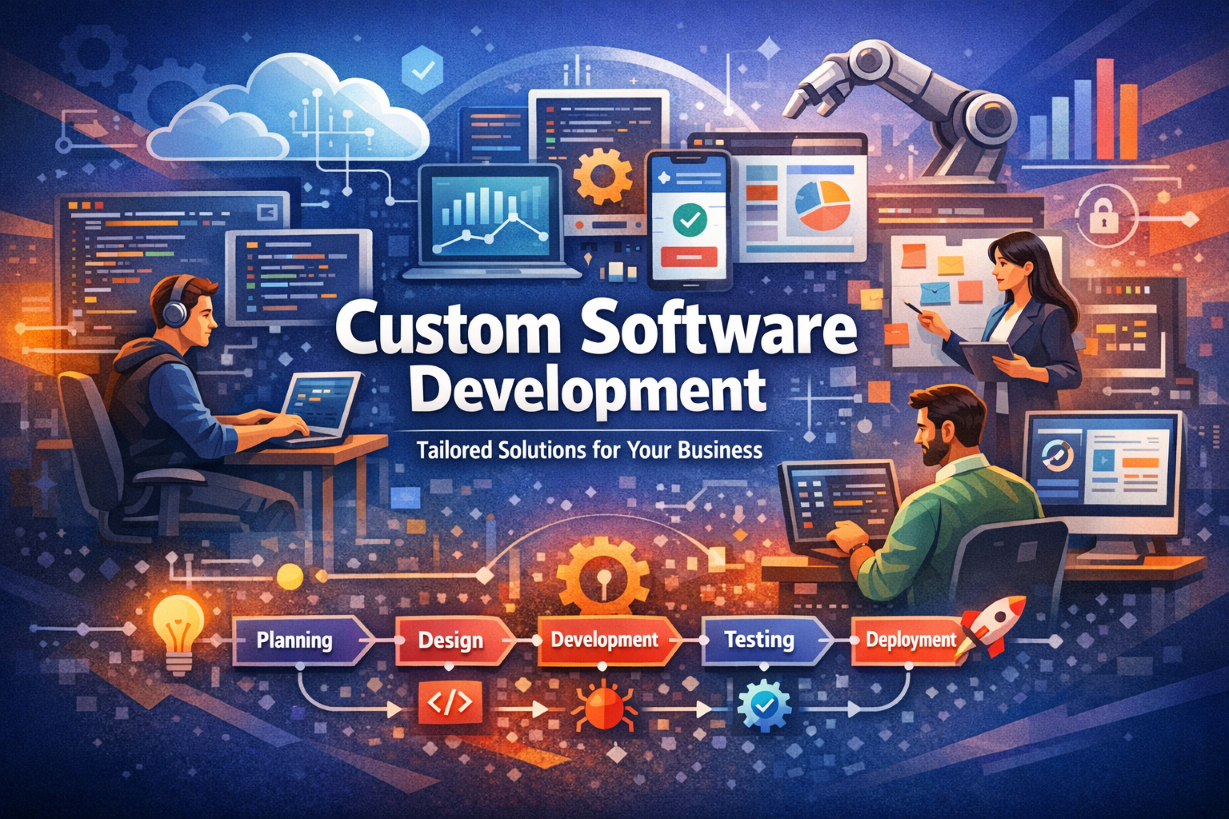
    Custom Software Development Process

    A structured development process ensures high-quality results and successful project delivery.

    1. Requirement Analysis

    • Understanding business goals
    • Identifying challenges
    • Defining software features

    2. Planning & Strategy

    • Choosing the right technology stack
    • Creating timelines and milestones
    • Resource allocation

    3. UI/UX Design

    • User-centric interface design
    • Wireframes and prototypes
    • Usability optimization

    4. Development

    • Frontend and backend development
    • API and third-party integrations
    • Database design

    5. Testing & Quality Assurance

    • Functional testing
    • Performance testing
    • Security testing

    6. Deployment

    • Cloud or on-premise deployment
    • Configuration and setup

    7. Maintenance & Support

    • Bug fixes
    • Feature updates
    • Performance monitoring

    Technologies Used in Custom Software Development

    Frontend Technologies

    • React.js
    • Angular
    • Vue.js
    • HTML5, CSS3, JavaScript

    Backend Technologies

    • Node.js
    • Python
    • Java
    • .NET

    Databases

    • MySQL
    • PostgreSQL
    • MongoDB
    • Firebase

    Cloud Platforms

    • AWS
    • Microsoft Azure
    • Google Cloud
    Image

    Custom Software Development vs Off-the-Shelf Software

    FeatureCustom SoftwareOff-the-Shelf Software
    CustomizationHighLimited
    ScalabilityExcellentRestricted
    CostLong-term valueRecurring licenses
    SecurityStrongCommon vulnerabilities
    OwnershipFullVendor-dependent

    How Much Does Custom Software Development Cost?

    The cost of custom software development depends on several factors:

    • Project complexity
    • Features and functionality
    • Technology stack
    • Development timeline
    • Team size

    Estimated Cost Ranges

    • Small projects: $5,000 – $20,000
    • Medium projects: $20,000 – $100,000
    • Enterprise solutions: $100,000+

    While the initial investment may be higher, custom software delivers greater ROI over time.


    How to Choose the Right Custom Software Development Company

    When selecting a development partner, consider:

    • Proven experience and portfolio
    • Industry expertise
    • Transparent pricing
    • Strong communication
    • Post-launch support

    A reliable partner will understand your vision and transform it into a scalable, secure solution.


    Industries That Benefit from Custom Software

    • Healthcare
    • Finance & Banking
    • E-commerce
    • Education
    • Logistics
    • Manufacturing
    • Real Estate

    Custom software adapts to industry-specific needs, regulations, and workflows.


    Future Trends in Custom Software Development

    • Artificial Intelligence and Machine Learning
    • Cloud-native applications
    • Low-code and no-code platforms
    • Internet of Things (IoT)
    • Blockchain solutions

    Staying ahead of these trends ensures long-term success and innovation.


    Conclusion

    Custom software development is more than just building applications—it’s about creating smart, scalable solutions that align with your business goals. Whether you’re streamlining internal operations or launching a customer-facing platform, custom software gives you full control, flexibility, and a competitive edge.

    Investing in custom software is an investment in your business’s future.